
Image SEO - The Ultimate Guide
Make Your Website Images Work Harder for You with Image SEO
- Good pictures make your website better and help more people find it.
- Getting your pictures right for search engines like Google can help your business get noticed.
- We’ll show you how to do it simply.
Pictures bring your words to life. They make your website more interesting and easy to look at. Think about it – a picture can explain something tricky or just make a long bit of writing much nicer. And with more people searching with pictures these days, making sure your images are set up correctly for search engines is a really big deal.
Google is getting much better at understanding what pictures are about, so let’s make sure yours are easy for it to see!
Picking the Best Images
- Always use your own photos if you can.
- Make sure the pictures match what you’re writing about.
The first step to good image SEO is picking the right picture. It’s always best to use your own photos instead of ones you find online that everyone else uses. For example, if you have a page about your team, use actual photos of your team! And for an article, pick a picture that makes sense with what the article is about.
Do Your Images Fit?
Make sure your pictures go with your words and help get your message across. Pictures that fit well make your website nicer to use and more interesting.
Good Quality, Right Size
Choose clear, good-looking pictures. But also make sure they don’t slow down your website. You can make pictures smaller without making them look bad. This helps your website load fast.
Be Yourself
Try to use your own pictures when you can. Pictures you’ve taken yourself can make your website stand out from others.

Naming Your Image Files
- Give your picture files clear names.
- Pick the right type of file for your pictures.
How you name your picture files and what type they are can really help people find them. Here are some simple tips:
Clear Names
The name of your picture file should describe what the picture is. This helps search engines understand what the picture is about. For example, if it’s a drawing showing how plants make food, call it “plants-making-food-drawing.jpg” not “IMG_1234.jpg”.
Picture Types
The type of picture file matters too. JPEG files are good for photos. PNG files work well for pictures with clear backgrounds, words, or simple drawings. A newer type called WebP is great because it makes files small but keeps them looking good, and many new internet browsers can use them. For simple shapes and icons, SVG is best. We think WebP files are usually the best for websites.
Making Images the Right Size
- Don’t use huge pictures.
- Smaller file sizes mean faster websites.
The size of your pictures is important. If pictures are too big, they can make your website slow. A slow website is bad for getting found on search engines. So, make sure your pictures are the right size.
Making Files Smaller
By making your picture files smaller but still keeping them looking good, you can really speed up your website. This is super important for how well your website does on search engines. You can use computer programs like Adobe Photoshop or Affinity Photo, or free tools you find online to do this.
Alt Text and Title Text for Images
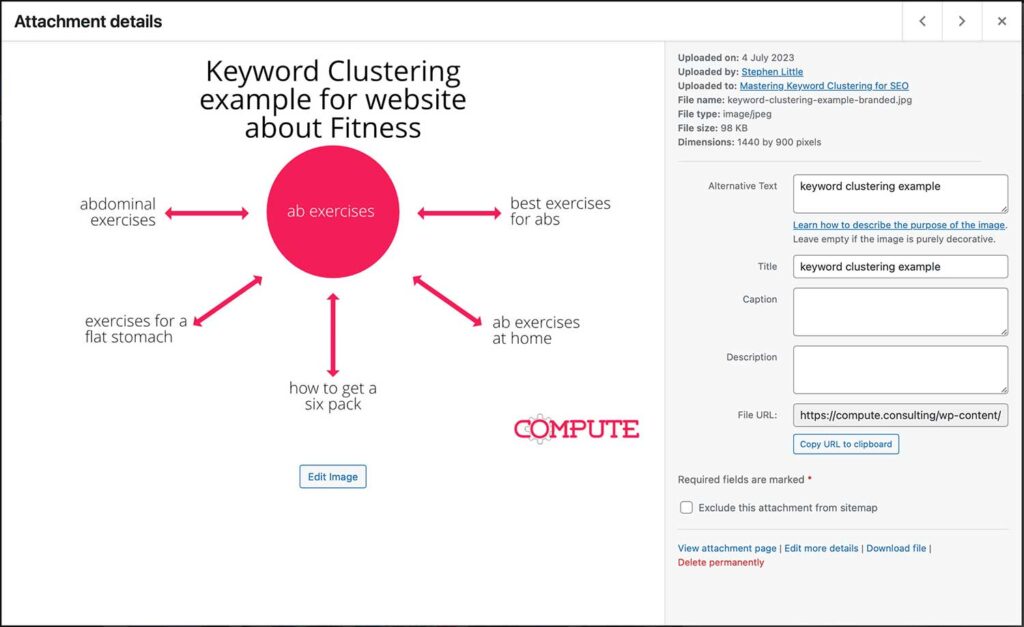
Alt text and title text are important for how search engines see your pictures. Alt text is what screen readers say for people who can’t see the pictures, and it helps search engines understand what the picture is about. Title text pops up when you put your mouse over a picture, and while it’s not needed for search engines, it can make your website nicer to use.
Be Clear
Write short, exact alt text that tells you what the picture shows. Use words that people might search for, but don’t just fill it with keywords.
Help Everyone
Make sure your alt text is useful for people who use screen readers. Tell them what’s in the picture so they get the full idea.
Image Captions
Adding helpful captions under your pictures is a good idea. Captions aren’t vital for search engines, but they make your website better for people. People often read captions quickly when they look at an article, so it’s a good place to add extra info.
Alt text and accessibility - the bit most people skip
Alt text isn’t just an SEO checkbox. It’s also how visually impaired users experience your images – screen readers read it aloud, so what you write becomes what they hear.
That matters for two reasons. One: it’s the right thing to do. Two: the WCAG (Web Content Accessibility Guidelines) require meaningful alt text on functional images, and non-compliance can be a legal issue for some organisations.
A few practical rules for accessible alt text:
- Keep it under 125 characters. Many screen readers cut off after that, so your carefully written description just gets truncated.
- Don’t start with “image of” or “photo of”. Screen readers already announce that it’s an image – you’re just wasting characters.
- Describe what’s useful, not what’s obvious. If the image is a graph showing a 142% increase in organic traffic, say that – don’t write “graph on blue background”.
- Decorative images get empty alt text (alt=””). If the image adds no information – a divider, a background texture – leave the alt blank. That tells screen readers to skip it entirely.
The same principles that make alt text accessible – specific, descriptive, concise – also make it better for SEO. They’re the same goal, which makes this one of the rare cases where doing the right thing and doing the smart thing are identical.
Images Information
Image Data
Adding structured data to your images can help them appear in rich results, enhancing their visibility in search results.
Sharing on Social Media
OpenGraph and Twitter Cards are special bits of code that control how your website’s content looks when shared on social media. They can make more people click on your links when they see them on Facebook or Twitter.
Camera Info
EXIF data is information about the picture, like what camera was used or where it was taken. Try to keep this information with the picture if you can.
Who Owns the Image
If you use pictures from somewhere else, make sure you have permission. And always say where they came from if you need to.
Image Sitemaps
Putting your pictures in an image sitemap can help search engines find and list them better.
XML Sitemaps
Make a special list of your pictures for search engines. Include things like where the picture is, its caption, and any tags.
Sending Sitemaps
Send your picture sitemap to search engines like Google using their special tools. This makes sure your pictures get looked at and listed quickly.
Using a Images Delivery Network
A Picture Content Delivery Network (CDN) is a group of computers that send pictures to people from the closest place. This makes pictures load faster and makes your website better to use. This can also help your website do better on search engines.
To Wrap It Up
These days, pictures are more than just pretty things on your website. They’re super important for making your website good for people to use and for helping it show up on search engines. By making your pictures right for search engines, you can make your content more appealing, make your website work better, and get higher up in search results.
So, when you put pictures in your articles, always make sure you’ve made them ready for search engines.