
By Stephen Little, owner of fecking creative – 18+ years in UK web design and search. Originally published June 2024, rewritten and updated May 2026.
When I first wrote this post in summer 2024, ChatGPT had been mainstream for about eighteen months and most small business owners I spoke to were either ignoring it or using it once a week to draft a Facebook post. Two years on, the picture’s flipped. The owners I work with use AI tools daily – for emails, social, quoting, customer comms, review responses, image generation, video scripts, and a dozen other small jobs that used to eat their evenings.
This rewrite covers what’s actually changed: which tools earn their keep in 2026, what they cost in pounds, where they still get it wrong, and a worked example of a Alston dog groomers who used four AI tools to claw back roughly eight hours a week.
TL;DR
- AI for small business in 2026 means a multi-tool stack – ChatGPT, Claude, Gemini, Microsoft Copilot, Perplexity – not one chatbot doing everything.
- The five highest-leverage jobs for a small business are content writing, image generation, social media, review responses, and customer email drafting. Most owners save 5–10 hours a week within a fortnight.
- Free tiers are good enough to start. A typical small business pays £20–40 a month for one or two paid plans once it leans on AI daily.
- Local SEO and Google Business Profile work – review replies, post drafts, photo captions – is one of the most under-used AI wins for UK small businesses in 2026.
- AI still hallucinates. Verify any factual claim, statistic, price, regulation, or local detail before publishing.
- Worked Alston example below: a dog groomering business saved roughly eight hours a week and lifted Instagram engagement 60% in twelve weeks using ChatGPT, Claude, Nano Banana, and a Gemini-powered review reply workflow.
- Common mistakes: trusting one tool for everything, copy-pasting AI output without editing, ignoring client data privacy, and using AI to write thin SEO content that AI Overviews then ignores.
What’s actually changed since 2024
Three things shifted between the first draft of this post and now.
One: the tool list got longer and more specialised. In 2024 most small business owners used ChatGPT. In 2026 the working stack is closer to four tools – ChatGPT for brainstorming and short-form drafts, Claude for long-form writing and document analysis, Gemini for live research and Google Workspace work, Microsoft Copilot for Office and Outlook. Perplexity for fact-checking. Free image generation is now part of ChatGPT, Gemini (Nano Banana), and Copilot – Leonardo.ai is now Canva-owned and still useful but less central.
Two: AI is inside the apps you already use. Canva, Notion, Google Docs, Microsoft Word, Gmail, Outlook, LinkedIn, and most CRM tools have AI baked in. You don’t need to copy text from ChatGPT into a document any more – the assistant lives in the document.
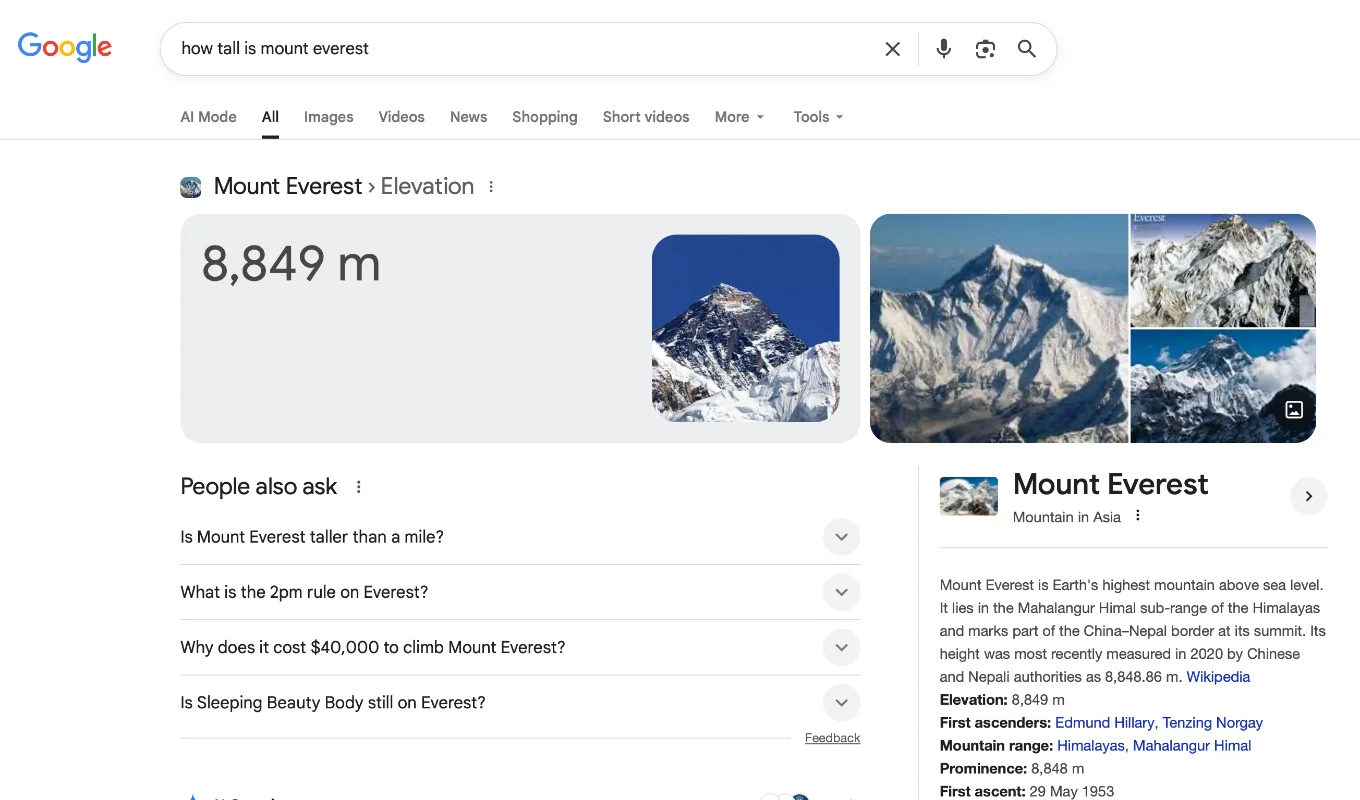
Three: AI search changed what you write for. AI Overviews, ChatGPT search, Perplexity, and Gemini now answer a lot of buyer questions directly. Writing thin “what is” SEO content for these queries no longer works. Writing genuinely useful, specific content that AI tools will quote does. We covered this at length in From Search Engine to Answer Engine and What Are Zero-Click Searches? — both worth a read if you publish content as part of your marketing.

The 2026 AI toolkit for a small business
Five tools cover 90% of what a UK small business needs.
ChatGPT (OpenAI). Free tier is genuinely useful now. ChatGPT Plus at £19/month unlocks GPT-5, image generation, file uploads, custom GPTs, and ChatGPT search. Best for: brainstorming, social posts, ad copy, draft emails, quick research, image generation.
Claude (Anthropic). Free tier handles most short tasks. Claude Pro at £18/month gets you longer chats, file uploads, projects, and access to Claude Opus for the harder writing jobs. Best for: long-form writing, document analysis, contract or proposal review, anything where you’d rather the output didn’t sound AI-written.
Gemini (Google). Free tier is solid; Gemini Advanced at £18.99/month gives you the better models and integration with Gmail, Docs, and Sheets. Best for: live research that needs current information, Google Workspace tasks, and Nano Banana image generation.
Microsoft Copilot. Free version in Edge and Bing. Copilot Pro at £19/month unlocks Office integration — drafting documents in Word, summarising emails in Outlook, building decks in PowerPoint, analysing data in Excel. Worth it if you live in Microsoft 365.
Perplexity. Free tier is most owners’ main use case. Perplexity Pro at £16.67/month adds unlimited Pro searches and access to multiple models. Best for: research with cited sources, competitor scanning, finding statistics or studies with a proper reference.
Pick one paid plan to start. Most owners I work with run two paid plans (typically ChatGPT Plus plus Claude Pro, or Copilot Pro plus Perplexity Pro) once AI becomes a daily habit.
A note on cost
A typical UK small business spends £20–40 a month on AI tools in 2026. That covers one or two paid plans. Free tiers are good enough to test before committing – start free, pay for the one tool you reach for most.
Easy AI for content writing
Content writing is the job AI helps with most obviously and where the biggest mistakes get made.
Use it for: first drafts, headlines, meta descriptions, social captions, email subject lines, FAQ sections, product descriptions, ad copy.
Don’t use it for: anything you’ll publish without editing. AI-written copy is recognisable. Readers notice. Search engines notice. AI engines notice (the ones picking which content to quote in their answers).
The workflow that works: ask the AI for three or four angles on the topic, pick the angle that sounds most like you, give the AI a 200-word brief on your voice and your reader, ask for a first draft, then rewrite it in your own words. The draft is scaffolding, not the finished thing.
A worked prompt:
“I run an independent dog grooming business in Alston, Cumbria. My customers are dog owners aged 30–60 who treat their dogs as family. My tone is warm, practical, and honest - not slick. Write three Facebook post angles for promoting a summer de-shedding service for double-coated breeds. Keep each post under 80 words. No emojis at the start. No exclamation marks.”
Easy AI for images
Three image tools cover most small business needs in 2026.
ChatGPT image generation (inside ChatGPT Plus). Strong at clean, branded-looking visuals — blog headers, social tiles, simple product mockups. Good prompt-following.
Nano Banana (Gemini image gen). Free in Gemini. Excellent at photo-realistic results, product photography in different settings, and editing existing images with text prompts. The image gen winner in 2025–26 for most use cases.
Canva AI (which now includes Leonardo.ai under the hood). Best when you want the image to drop straight into a template — social posts, flyers, presentations, simple ads. Less flexible than ChatGPT or Nano Banana but faster to a finished asset.
A worked prompt for Nano Banana:
Photo-realistic image of a brown labradoodle being hand-stripped on a grooming table in a bright independent UK grooming salon. Warm, natural light. The groomer’s hands visible but face out of shot. Shallow depth of field. Square crop suitable for Instagram. No text on the image.
Tip: write your prompt the way you’d describe the photo to a friend – subject, environment, lighting, mood, framing, what to exclude. Vague prompts get stock-looking output.

Easy AI for social media
The two highest-value social jobs for AI:
Idea generation. Ask an AI to give you 30 post ideas tied to a real event in your business this month – a new service, a busy week, a seasonal change, a customer story. Reject the generic ones (any post that could be written about any business in your sector is one to reject). Keep the five that are specific to you.
Caption rewriting. Write your own caption from scratch – it’ll sound like you. Then paste it into ChatGPT or Claude and ask for three alternative versions: shorter, more direct, more story-led. Pick whichever version you’d actually post.
The trap: getting AI to write 30 generic captions and posting them all. You’ll sound like every other business that did the same thing, and Instagram’s algorithm has been quietly down-ranking AI-flavoured copy since mid-2025.
Easy AI for SEO and keyword research
A 2026 keyword research workflow that works:
- Use Perplexity or Gemini to find the actual questions buyers ask in your sector. Sources: Reddit, Quora, “People Also Ask”, forum threads. Cited sources mean you can verify what’s real.
- Paste the question list into Claude or ChatGPT and ask it to cluster them by intent (informational vs commercial vs transactional).
- For each cluster, ask Claude to map them to one of: a new blog post, an existing page that needs updating, a new FAQ on a service page, or a homepage section.
- Pull volume and difficulty numbers from a proper tool (SEMrush, Ahrefs, SERanking, Ubersuggest, or Google Keyword Planner) for the cluster shortlists. Don’t trust AI on volume – it makes numbers up.
The trap from 2024 still applies in 2026: AI will confidently invent search volumes, ranking difficulty scores, and competitor data if you ask it to. Use it to find and cluster the questions. Use a real SEO tool for the numbers.
Related to this: if you’ve ever had multiple pages on your site competing for the same query, What is Keyword Cannibalisation? is the explainer.
Easy AI for local SEO and Google Business Profile
The most under-used AI win for UK small businesses in 2026. Three jobs:
Review replies. Paste a Google review into Claude or ChatGPT. Ask for a 60-word reply in your voice – warm, specific, naming what the customer mentioned, signing off as you. Edit the reply for tone, then post. A consistent reply habit lifts your Google Business Profile signals and your buyers notice.
Google posts. Most owners don’t post on their Google Business Profile because they don’t know what to say. Ask an AI for ten Google post ideas tied to actual things happening in your business this month. Rewrite the two or three you like.
Photo captions and alt text. Upload a photo of your work to Gemini or ChatGPT and ask for a 30–60 word descriptive caption and a one-line alt text. Both feed Google Business Profile signals and image search. Both jobs nobody enjoys doing manually.
Easy AI for client and customer emails
Two prompts cover 80% of email work for a small business owner.
The “polite chase” prompt:
“Rewrite this email to be warmer and shorter, and end with a clear single ask. Keep my voice — direct, friendly, no corporate filler. [Paste draft]”
The “explain it like a human” prompt:
“I need to explain [technical thing] to [audience]. Draft a 150-word email in plain English with one concrete example. No jargon. No bullet points. Ends with a single question that moves it forward.”
Drafting in Outlook, Gmail, or your CRM where AI is now built-in is faster than copy-paste to ChatGPT – but the prompt structure is the same.
Easy AI for video
Video is where small UK businesses lagged in 2024 and started catching up in 2025. The 2026 toolkit:
- Descript. Edit video the way you edit a document – delete words from the transcript, the video edit happens automatically. £19/month.
- CapCut. Free, mobile-first, AI-assisted editing, auto-captions, b-roll suggestions. Strong enough that you don’t need anything else for short-form social video.
- HeyGen. AI avatars and voice cloning if you want to scale video without being on camera every time. £24/month and up.
- Otter.ai / Fireflies. Auto-transcribe and summarise client calls. Useful for proposal writing and meeting follow-ups. Free tiers usable; paid tiers from £12/month.
The wins for a small business: short Reels and TikToks from longer videos, captioned testimonial clips, voice-over explainers, and meeting notes that write themselves.
A side-by-side cost table
| Tool | Free tier good enough? | Paid plan | UK price (2026) | Best for |
|---|---|---|---|---|
| ChatGPT | Yes, for occasional use | ChatGPT Plus | £19/month | Brainstorming, drafts, image gen |
| Claude | Yes, for short tasks | Claude Pro | £18/month | Long-form writing, document analysis |
| Gemini | Yes, for most jobs | Gemini Advanced | £18.99/month | Research, Google Workspace, Nano Banana |
| Microsoft Copilot | Yes, for browsing | Copilot Pro | £19/month | Word, Outlook, Excel, PowerPoint |
| Perplexity | Yes, for most research | Perplexity Pro | £16.67/month | Cited research, competitor scanning |
| Canva (with AI) | Yes, for casual design | Canva Pro | £10.99/month | Branded social, flyers, decks |
| Descript | Limited free tier | Creator | £19/month | Video editing by transcript |
| Otter.ai | Yes, 300 minutes/month | Pro | £12/month | Meeting transcripts and summaries |
Total if you went all-in: £133/month. Most small business owners I work with run one or two of these – a more realistic spend is £20–40/month.
Where AI still gets it wrong in 2026
It’s better than it was in 2024. It’s not perfect. The traps that bite small business owners most often:
Hallucinated facts. AI tools still make up statistics, citations, case law, regulations, and people. The famous 2024 Google AI Overviews “use glue on pizza” and “eat rocks daily” answers (lifted out of Reddit jokes without context) were the comedy version. The serious version is your AI confidently telling you VAT thresholds, employment law specifics, or industry stats that are simply wrong. Verify anything factual against a primary source before you publish or send.
Outdated information. Most AI models have a training cut-off. Anything time-sensitive – current prices, recent regulations, news from the last six months – needs to come from a tool with web access (Perplexity, Gemini, ChatGPT search) and a checked source link.
Local detail. AI tools are good on national topics, weaker on local ones. They’ll confidently invent a Keswick landmark, get a Carlisle postcode wrong, or attribute a quote to the wrong UK regulator. Check anything local against a real source.
Privacy. Don’t paste real client data, contracts, financial details, medical information, or anything covered by GDPR into a public AI tool. Use the enterprise versions (ChatGPT Enterprise, Claude for Work, Microsoft 365 Copilot) for sensitive data, or strip identifying details before pasting into a free tool.
Image artefacts. AI-generated images still get hands, text, logos, and product details wrong. Check every image you publish. Don’t put AI-generated text inside an image – it’s almost always misspelled.
A first-person mistake worth admitting
When I wrote the first version of this post in June 2024, I leaned hard on ChatGPT as the one tool that did everything. I told clients to start there and ignore the rest. That was wrong.
The 2026 reality: ChatGPT is a brilliant brainstorming partner and a serviceable drafter, but it’s not the best at any of the longer or more specialist jobs a small business needs. Long-form writing reads better out of Claude. Live research with sources runs faster in Perplexity or Gemini. Microsoft 365 work belongs in Copilot. Image generation is now a Nano Banana lead. The owners who get the most out of AI in 2026 run a multi-tool stack, not a single chatbot.
I caught the mistake when a client asked why their AI-written blog posts kept sounding identical no matter what we did. The answer: one tool, one default voice, one tone, recycled across everything. Switching them onto Claude for the long-form work fixed the voice problem in a week.
The lesson: free tiers across two or three different tools beats one paid plan. Find the tool that’s best for each job rather than expecting one tool to handle the lot.
Common mistakes I see
- Posting AI output unedited. It reads as AI. Readers notice. Search engines notice. AI engines deciding what to quote notice. Always rewrite the parts of an AI draft that don’t sound like you.
- Treating one tool as the answer. ChatGPT isn’t the best at everything any more. Use the right tool for the job.
- Pasting client data into public AI tools. GDPR doesn’t pause because the tool is convenient. Strip identifying details, or use an enterprise plan.
- Believing AI on numbers. Search volumes, statistics, case law, regulations, prices – verify everything against a primary source.
- Writing AI-flavoured thin SEO content. AI search engines are now better at spotting and skipping thin AI-generated content than your buyers are. Specific, useful, lived-experience content gets quoted. Generic content gets ignored.
- Skipping the editing step. The AI draft is scaffolding. The published version is your job.
Frequently Asked Questions
What’s the cheapest way to start using AI in a small business?
Free tiers of ChatGPT, Claude, and Gemini cover most needs to begin with. Spend nothing for the first month, see which tool you reach for most, then pay for that one. Most small businesses settle on £20–40/month across one or two paid plans.
Is it safe to use ChatGPT for client information?
Not the free tier. Anything covered by GDPR – names, addresses, financial details, medical information, contract specifics – should either be stripped out before you paste, or handled through an enterprise plan (ChatGPT Enterprise, Claude for Work, Microsoft 365 Copilot) where your inputs aren’t used for training.
Which AI tool is best for small business marketing?
There isn’t one. ChatGPT for brainstorming and short drafts. Claude for long-form writing. Gemini for research and Google Workspace. Microsoft Copilot for Office and Outlook. Perplexity for cited research. Most owners use two or three.
Can AI replace a marketing person for a small business?
Not yet, and probably not for a while. AI lifts an owner’s productivity on marketing tasks by 50–80% in the jobs covered above. It still needs a human deciding the strategy, editing the output, and judging what’s worth publishing. Where it does replace marketing spend is on the routine, low-judgement tasks (social post drafting, review replies, image generation) that owners used to either skip or pay an agency to do.
The 2026 takeaway
AI isn’t a novelty for small businesses any more. It’s a daily tool that pays for itself inside a fortnight if you use it on the right jobs. The owners who get the most out of it treat it as scaffolding for their own thinking — a draft to polish, a list to filter, an image to start from — not as a replacement for judgement.
The toolkit is broader than it was in 2024, the costs are lower, and the wins are larger. Start free, find the two tools you reach for most, pay for those, and put the eight hours a week back into the parts of the business that need you.
If you’d like a hand setting any of this up — picking the right tools, building the prompt library, training a custom GPT on your voice — that’s part of what we do at Fecking Creative. Drop us a line at hello@feckingcreative.co.uk.